
Vector
Logos, icons and illustrations as real paths you can edit, written as SVG, all made on your Mac.
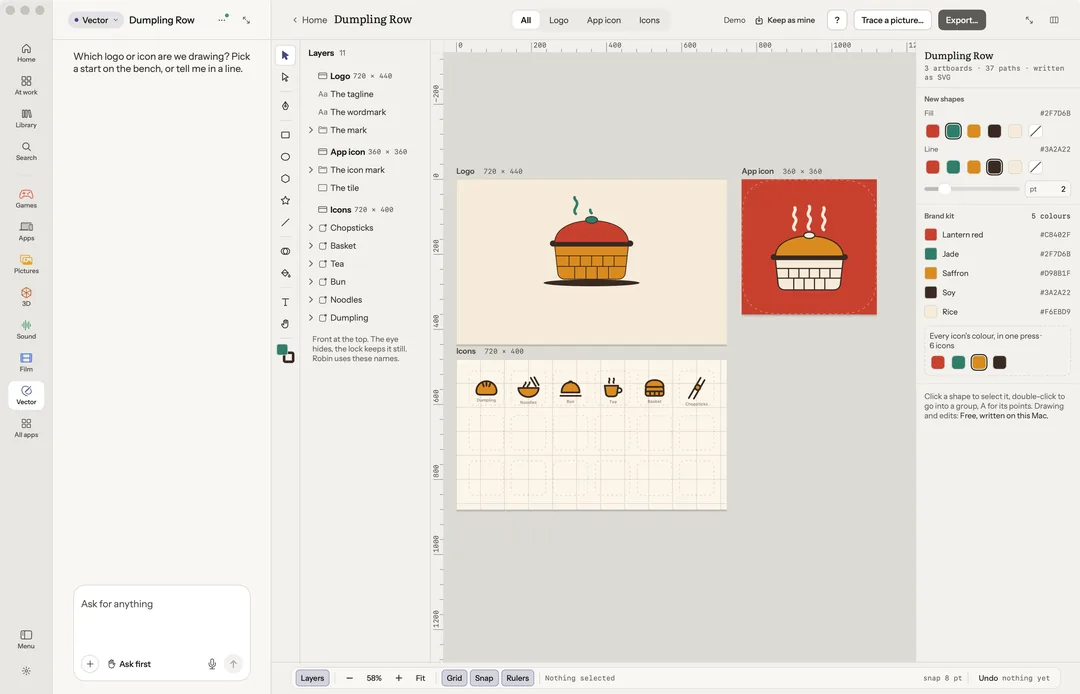
Vector is for logos, icons and illustrations. Every shape is a real path, written as SVG, so you can edit any point of it. Everything here is made on your Mac and nothing here calls a paid service.
Robin can do this too. From the chat, Robin draws with the same tools: it joins, cuts, intersects or excludes shapes, merges or takes away pieces and fills areas, offsets and insets them, turns a line into a shape, traces a picture, groups, and exports.
Start
On an empty bench, press Start a drawing or Trace a picture…. Or start from a ready drawing:
- A logo: a mark, a name and a tagline.
- An app icon: every Apple size.
- An icon set: twelve icons on one grid.
Or ask in the chat ("Which logo or icon are we drawing?").
Draw
The tools are Select, Direct select, Pen, Rectangle, Ellipse, Polygon, Star, Line, Text, Shape Builder, Live Paint and Hand. The inspector holds a shape's place and size, its fill, its line, caps, joins and type.
Trace a picture… turns a picture into paths, one layer per colour.
Shapes, exactly
In the inspector, Union, Subtract, Intersect and Exclude join, cut, intersect or exclude any shapes exactly. Offset path and Inset path grow or shrink a shape. Outline the line turns a line into a shape. Group, Ungroup and Duplicate are there too, with Edit the words for text.
Where shapes cross, two tools work on the pieces you see:
- Shape Builder (M): select the shapes that cross, then drag across their pieces to make them one shape. Hold ⌥ as you drag to take the pieces away.
- Live Paint (K): click any area the shapes and lines close, and a new shape fills it, in the fill set for new shapes.
Both are exact, as the shapes were drawn.
Every icon's colour sets one colour across a set. Copy the SVG puts the shape's SVG on the clipboard.
Export
Export… writes SVG, PDF, or PNG at 1×, 2× and 3×; menu icons as a file each; or an app icon at every Apple size (28 files and its Contents.json).
Keys
| Key | What it does |
|---|---|
| V A P | Select, direct select, pen |
| R E Y S L T | Rectangle, ellipse, polygon, star, line, text |
| M K | Shape Builder, Live Paint |
| H, or Space held | The hand |
| Arrows | Nudge 1 pt (with ⇧, 8 pt) |
| ⇧D | Duplicate |
| ⇧X | Swap fill and line |
| ⌥⌘G / ⌥⇧⌘G | Group / ungroup |
| ⌥⇧U ⌥⇧S ⌥⇧I ⌥⇧X | Union, subtract, intersect, exclude |
| ⌥⇧O | Offset by 8 pt |
| ⇧H | Hide or show |
| ⌥⌘L | Lock |
| 0, 1–9 | Every artboard, one artboard |
| ⌘' ⇧⌘' ⇧R | Grid, snap, rulers |
| ⌘E | Export |
| ⌘L | Ask about the selection |
| ? | Help |