
Getting started
Install Robin, pick how it thinks, make your first thing, and find your way around Home, the apps and the chat.
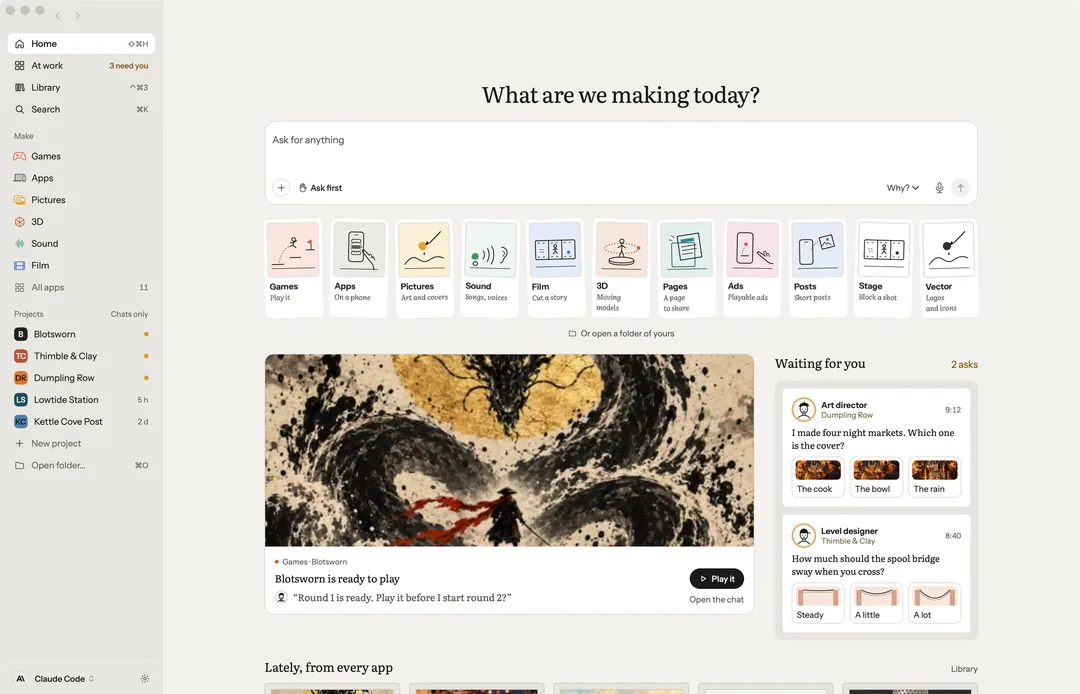
Robin is a creative studio for your Mac. Each kind of work has an app of its own, with only the tools its craft needs, and a chat beside it. It needs macOS 15 or later.
The welcome
The first time you open Robin, the welcome takes four short steps.
What are we making today? The apps settle into a row. Press one to make that first.
How Robin thinks. Robin needs a mind to make with. Pick one:
- Use Claude Code: Robin works through Claude Code on your Mac, signed in with your own account. Robin never sees your sign-in.
- OpenRouter: one key that reaches many models.
- A model on this Mac: stays on your Mac, even offline, with simpler answers.
- An API key: Anthropic, OpenAI or Google, billed by them.
Not sure? Start with Claude Code. Settings can change it later, and Decide later skips the step.
What shall we make first? Pick one to start with. A few quick picks teach Robin your taste; there are no wrong answers. Or press Just look around.
Start. The app's starters. One tap makes it in the window.
Permissions and your licence key are not part of the welcome. Each is asked for when it is first needed, or waits in Settings. Help › Show the welcome again plays it again.
Home
Home shows what needs you today and what every app made lately. Your projects are in the sidebar. Each app card opens an app with its bench and its starters.
- Library keeps everything you made.
- At work (⌘0) shows every chat making something now.
- Search (⌘K) finds chats, projects, files, the Library and Settings.
The apps
Games, Apps, Pictures, Vector, Sound, Film, Stage, 3D, Pages, Ads and Posts, and Code once Settings › Developer tools is on. Each has its bench, the work itself with its presses, and the chat beside it. Sound holds music, voices, the pads, sets and the radio as five tabs. Every app but Code has a demo to press through before you make your own.
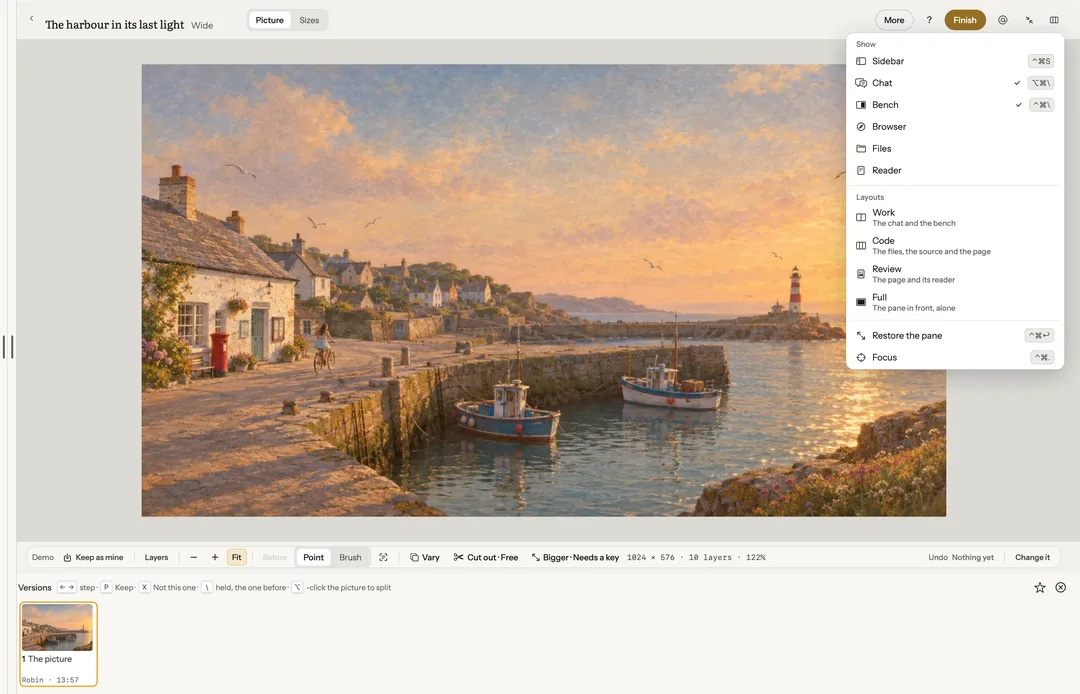
View hides or shows the chat (⌥⌘\) and the bench (⌃⌘\). Chats › Move this chat to moves a chat to Home or any app.
The window
- Maximize the pane (⌃⌘↩, a double-click on its head, or ⤢ on the bar) gives the pane in front the whole window. The same again, or Esc, gives it back.
- Focus (⌃⌘.) slims everything but the work to thin edges; rest on one to peek at it.
- View › Layout ticks which panes show, and holds four layouts: Work (the chat and the bench), Code (the files, the source and the page), Review (the page and its reader) and Full (the pane in front, alone). The bar’s Layout press holds the same.
- View › Live window opens a clean window for a stream. See Sound.
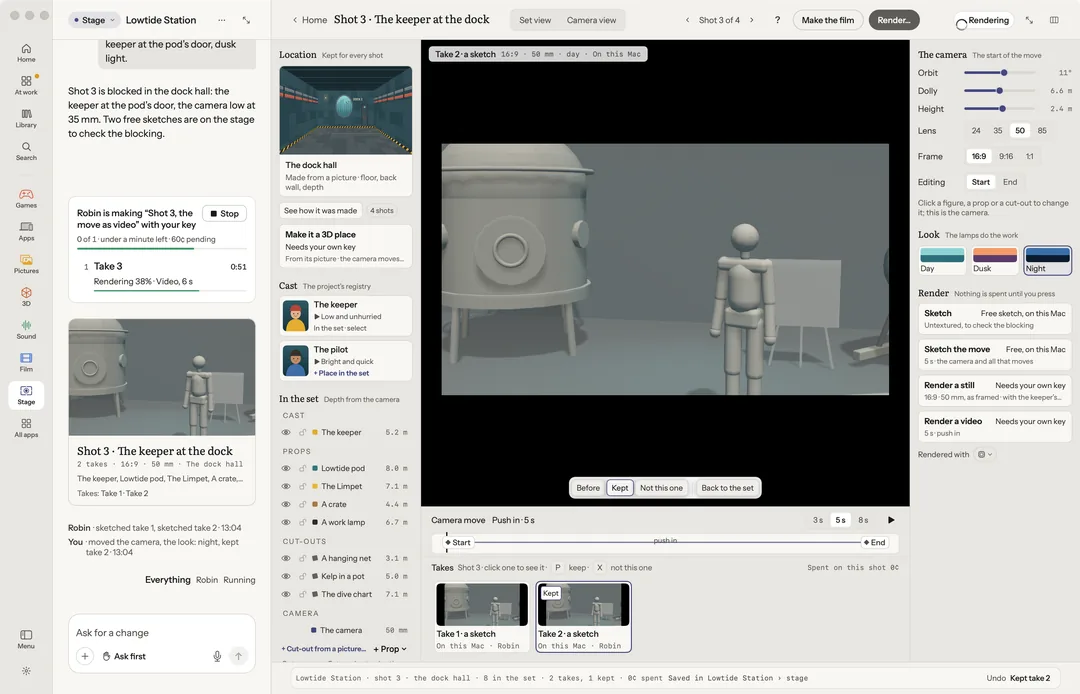
While Robin makes something, a set of many tracks or one paid clip, the chat shows it as one card with how far it has got, and the window’s bar says so too. Stop on either, or ⌘., stops it and keeps what is made.
How much Robin may do
Under the chat box, pick how far Robin goes in this chat. Each chat keeps its own; a new chat starts in Ask first.
- Look only: it reads and looks, and changes nothing.
- Ask first: it writes in your folders; a command, or a coding agent on a folder, is asked once each, with "don't ask again".
- Approve for me: it writes and runs commands in your folders without stopping, or only for an hour or for a day. Each yes it gave for you is listed on that menu.
Whatever you pick, publishing, shipping and anything that leaves your Mac always ask. A paid make still waits for your yes when it costs more than Settings › General › Ask me first above ($1 to start). Settings › Media models says which model makes each thing, with its limits and its price. See Your keys and what things cost.
While it works, Robin shows on the bench (its pointer and what it is doing), and the chat keeps the log of what both of you did. See Two hands.
Projects
A project is a plain folder on your Mac that you can open in anything. A new one goes in Documents › Robin Projects, named "New project" until your first message names it. File has New project, Open folder…, Open recent and Switch project….
Try it first
Try it: the harbour opens the Kettle Cove Post showcase, from the welcome or Help. It walks through three steps: change one thing by asking, compare the takes, and undo. Nothing in it costs anything.
Your licence
Settings › Account holds your licence. Paste the key that came by email after you bought Robin into Licence key and press Activate. Deactivate… frees it for another Mac.