
Pages
Plans, design documents and pitches at their real width, with versions; slides with Magic Move, a page a sheet row, and InDesign in and out.
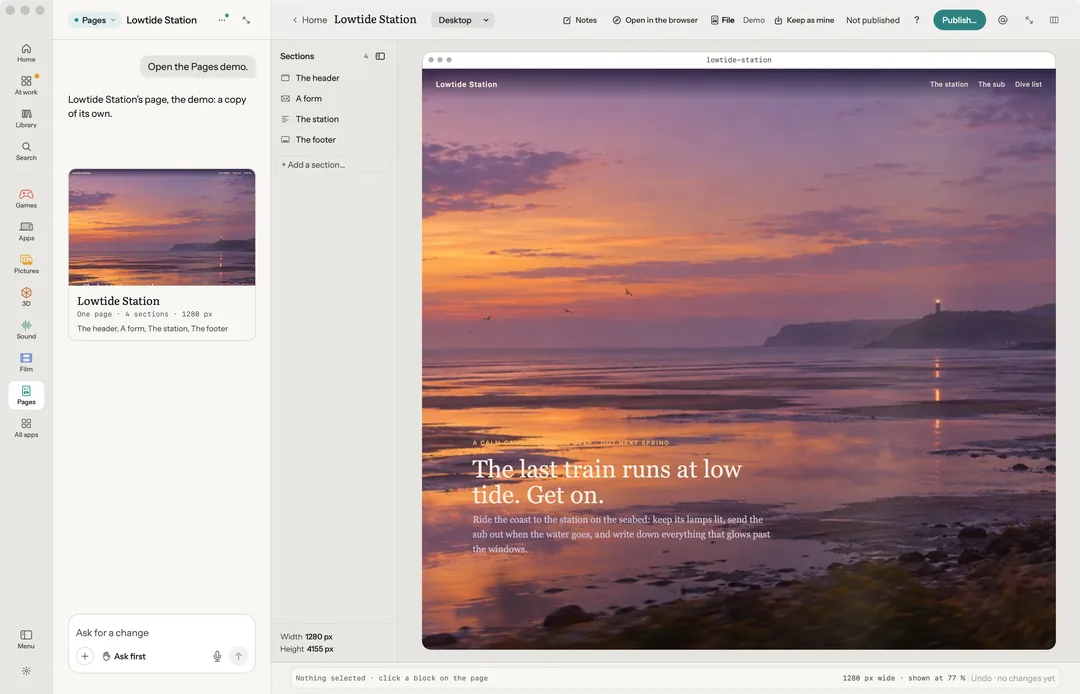
Pages is for plans, design documents and pitches. A page shows at its real width in Robin's browser, and every change is a version. Say what you want ("What are we writing?"), or start from Plan, Pitch, Design doc, Brief, Status or Moodboard.
Robin can do this too. From the chat, Robin changes, restyles, moves or removes a block, makes takes, sets the width, adds a section, opens the templates, starts and presents slides, merges a sheet, and imports and exports IDML. Publishing asks you first.
The bench
- Phone, Tablet and Desktop show the page at 390, 820 and 1280 wide.
- Sections lists the page's parts. Notes collects numbered notes to send together.
- Click a block, then Ask about it, Change it, Edit words, Restyle, Takes, Remove, or Move it up or down. Change it changes ink, size and space at once, for free.
- On a change Robin made: Undo and Before.
Slides and templates
On the Board: Make slides turns the open page into a deck, as a PDF and 1920×1080 pictures. Templates holds five pages (one-pager, pitch, press kit, launch, store page) and two decks (pitch, review). Both are free, on your Mac.
Present slides
New slides…, in the bar's File menu, starts a deck of its own in Robin Pages: slides at 16:9. Present (P) shows a page's slides one at a time over the bench; ← and → step them and Esc ends. What two slides share moves between them by Magic Move. Duplicate slide copies the slide in front, one Undo away: move things on the copy, and Magic Move carries them across. Free, on your Mac.

A page for every row
Data merge…, in File, copies the page once for each row of a sheet (CSV or tab-separated). Write «Name» on the page where a column's words go, named as the sheet's first line names it; a column of picture files places each picture. The copies land as one new page beside it, a printed page a row, and what did not match is said. Free, on your Mac.

In and out of InDesign
Import IDML…, in File, brings in an InDesign or Affinity Publisher document saved as IDML, with its Links folder beside it, as a page of its own: a section for each page, every frame where it was put, its words threaded through, its styles, its swatches as named colours and its pictures. Anything that changed on the way in, such as a turned frame set straight or a picture not found, is said. Free, on your Mac.
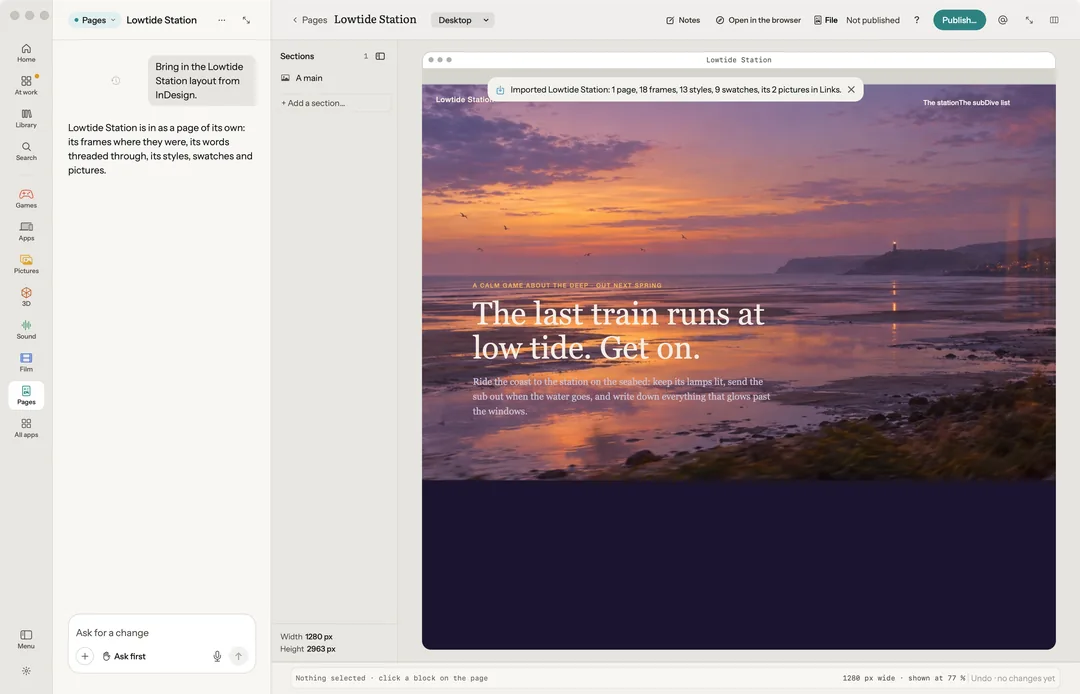
Export IDML… writes the page as an IDML document for InDesign or Affinity Publisher, laid out at the width the bench shows it: its frames, its words threaded through them, its paragraph and character styles, its colours as swatches, and its pictures placed and linked from a Links folder beside it. Free, on your Mac. Only a page kept on your Mac exports.
Publish
Publish… puts the ask in the chat box. Robin checks the page and asks before it goes out.
Keys
| Key | What it does |
|---|---|
| 1 2 3 | Phone, tablet, desktop |
| C R T | Change it, restyle, takes |
| ⌥↑ ⌥↓ | Move in the flow |
| Delete | Remove |
| ⌘A | The whole page |
| P | Present the slides |
| ← → | A slide back, a slide on, while presenting |
| ← → P X \ | Step through versions, keep, not this one, the one before |
| ⌘L | Ask |
| Esc | Let go, or end the slides |