
Two hands
The presses you make are ones Robin can make too: see it at work on the bench, read the chat as the log of both hands, and choose how far it goes.
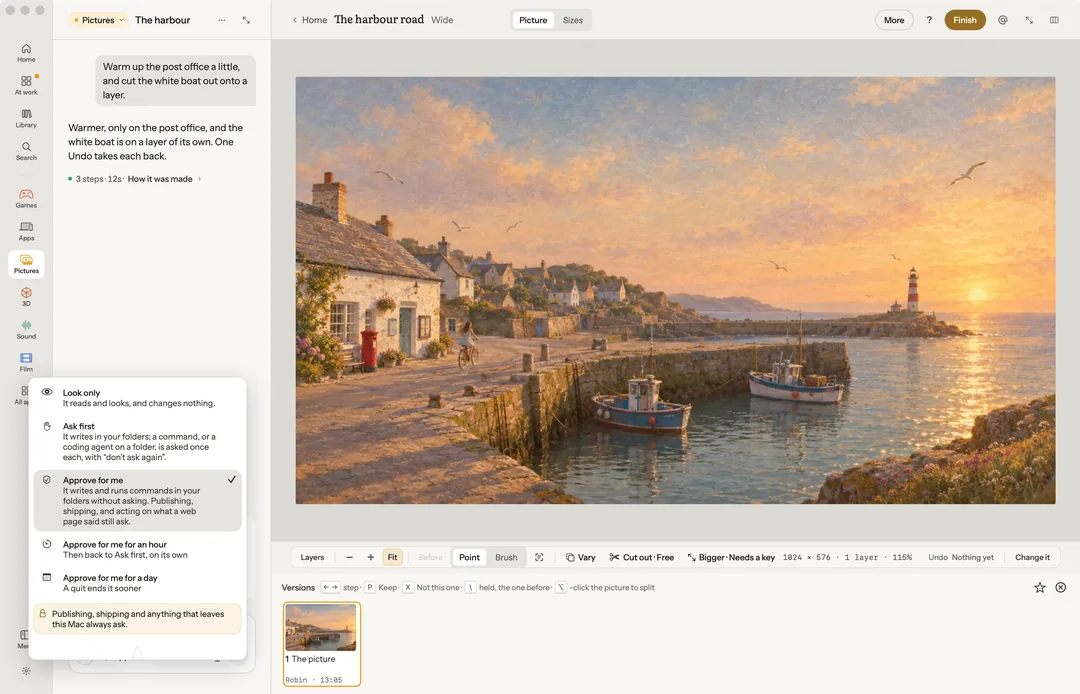
Every app in Robin has a bench: the picture, the cut, the song, the shot. You can do everything on it by hand. You can also say what you want in the chat, and Robin does it on the same bench, with the same presses you would use.
One bench, two hands
A press you make and a press Robin makes run the same code. A menu item, a button on the rail, a sentence said aloud and a call from Robin all do one thing, one way. So nothing Robin does is out of your reach. A few presses stay yours alone, such as signing in to your Claude account, and a few Robin reaches by its own road to the same result, such as choosing a picture without a file panel. Each app's page says what Robin can do there.
Watch Robin's hand
When Robin presses something, a second pointer, labelled Robin, glides to the control and presses it, and the step lands in the chat. It never moves your pointer. If your pointer rests on that control, it waits ("Robin · after you"). Press Esc in the chat to stop it.
What Robin changed is marked, with Undo and a held Before to compare. Turn the hand off with Show Robin's hand in the chat's ⋯ menu or Settings › Appearance.
Robin on the bench
While Robin works, you see it on the bench the way you see someone else in a shared document. Its pointer, labelled Robin, rests on the last control it pressed. What it has selected is marked as Robin's. A small chip says what it is doing now: "Robin · Warming the light · on the sky". When the work ends, the chip says what Robin did last for a moment, then it goes.
Hide Robin on the bench is on the chip. Hidden, a single quiet dot says Robin is at work; press it to show Robin again.
The chat keeps the log
The chat is the project's log of both hands. Under each message, quiet lines say what was done on the benches since: your presses marked You, and anything Robin did outside an answer marked Robin, each with its time ("You · moved the camera, the look: night, kept take 2 · 10:24"). Robin hears what you did with your next message.
Rest on a line for Undo, while it is still the bench's newest step, and Show me, which takes you to it on its bench. Click a line to reply about it.
Under the chat, Everything, Robin and Running choose what it shows: every message and press, Robin's work without your presses, or only what is being made now. Each project keeps its choice.
Work that takes a while shows in the chat as one card, with how far it has got and Stop. See Your keys and what things cost.
Point at it and say
Drag a box over part of a picture, click a block of a page, or mark a stretch of a clip or a sound, then ask about just that part. Change it makes a plain change at once, for free, one Undo away; on a picture, as a new version.
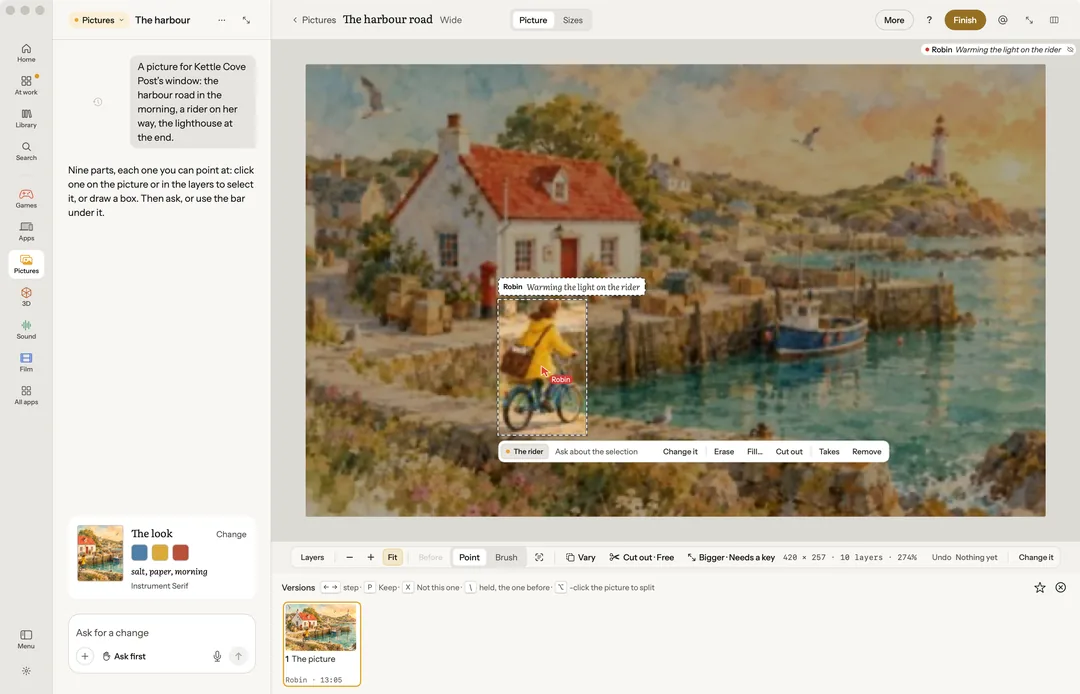
Under the selected work sit the two or three likeliest next steps: Vary, Cut out and Bigger for a picture; Loop, Cover and Video for a song. Bigger and Cut out say their price, or that they need a key. A game's Trailer and Ad are in the More of its Live strip.
The team
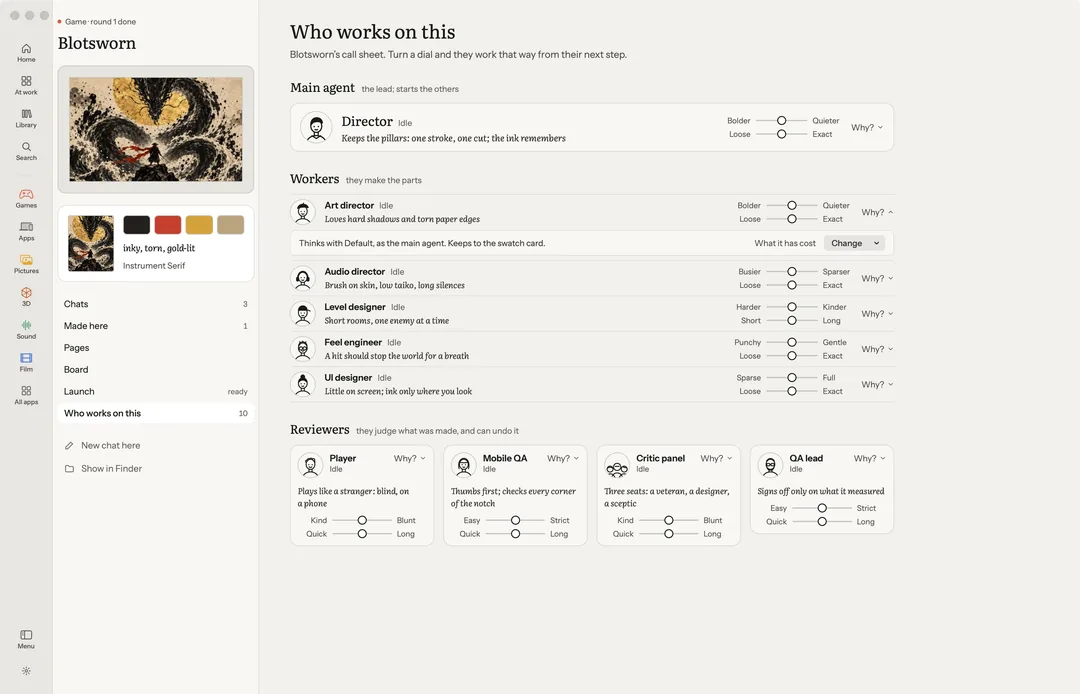
Each chat has its helpers. A director leads the work; an art director, a player, a critic panel, mobile QA and a QA lead do their parts. The faces at the top of the chat open Who works on this, and you can watch the team at work.
When it is your call
Robin asks when a choice is yours. A paid render is offered, never started on its own. Publishing is asked every single time. A make above your limit waits for your yes (see Your keys and what things cost).
Under the chat box, each chat says how far Robin may go: Look only (it reads and looks, and changes nothing), Ask first (it writes in your folders and asks before a command), or Approve for me (it writes and runs commands without stopping). Publishing, shipping and anything that leaves your Mac ask in all three, and so does a make above Settings › General › Ask me first above.
For an hour or a day
Approve for me can also be given for a while: Approve for me for an hour or for a day, on the same menu. The chip says what is left ("Approve for me · 52 min"), and then the chat goes back to Ask first on its own.
When Robin asks before a command, "don't ask again" can last an hour, a day or until Robin quits. The menu lists each yes that stands, with its time left, and Ask first again now ends them all. Quitting Robin ends every one. None of it ever covers a make above your limit.