
Sound
Songs, voices, pads, sets and a radio, as five tabs; full songs, automation and instruments, and a Live window for your stream.
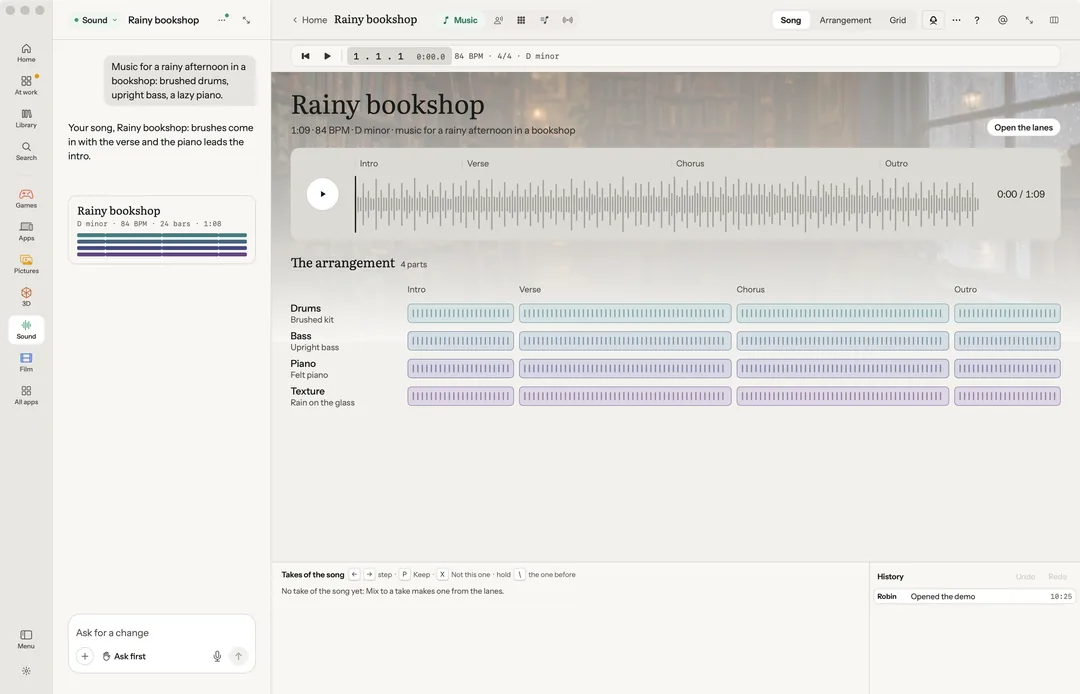
Sound holds five tabs: Music, Voice, Pads, Sets and Radio. Switch with ⌃1 to ⌃5. Each project remembers the tab you left it on.
Most of Sound runs on your Mac for free: the synth, the pads, sets, the radio, chords and humming. A press that needs a provider shows its price first, and never the service's name.
Robin can do this too. From the chat, Robin opens any of the five tabs, starts Hum it in, picks a take, draws a pan line, sets a lane’s automation mode or instrument, strips silence, compares takes, fills the pads, steers the radio, plans and makes a set, makes a full song (priced first) or a music video, and opens the Live window. Releasing a track or a set to a listening site, starting a stream and starting the AI channel are put to you first.
Music
The song, its arrangement and artwork, the playlist and its release.
Hum it in: hum or sing a tune and it lands as notes on a new lane, in the song's key and tempo. Every take you record over a lane is kept, to choose the best of each, and each lane has a pan line as well as its volume line (drawn in its place while it is on). Mix to a take bounces the song.
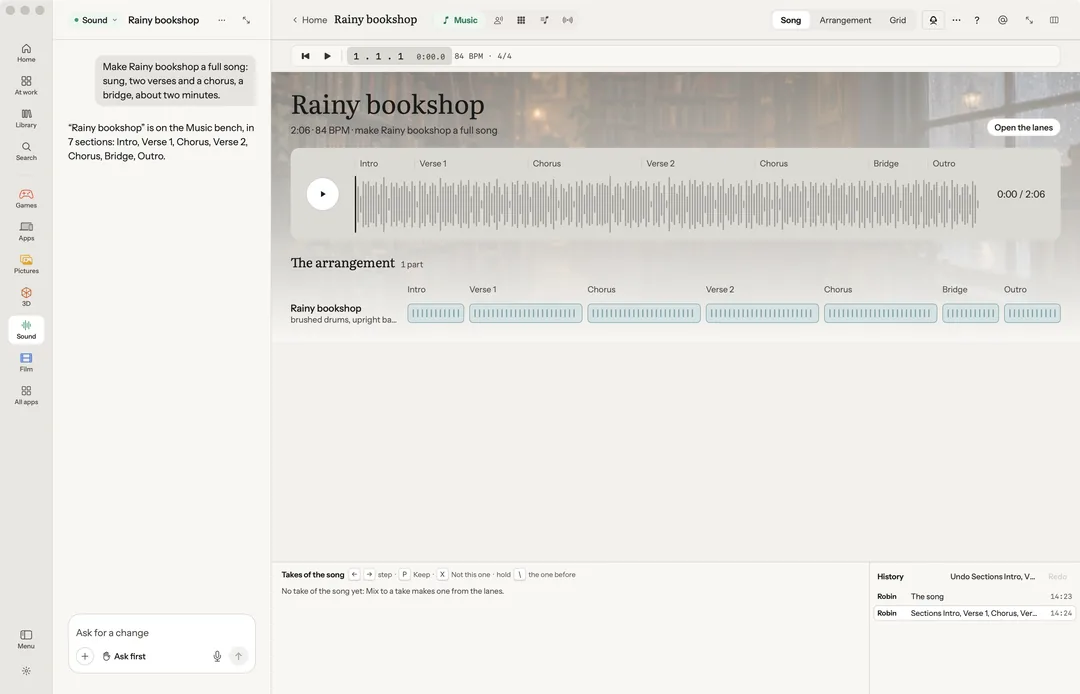
Make a full song: verses, a chorus and a voice, minutes long, from your words or your own lyrics. It runs on your own key with a song model (ElevenLabs Music, MiniMax Music or ACE-Step), and its price is said before anything is sent. The song lands as a lane with its takes, and with ElevenLabs Music its sections laid out on the bench. Which model makes it is yours to choose in Settings › Media models.
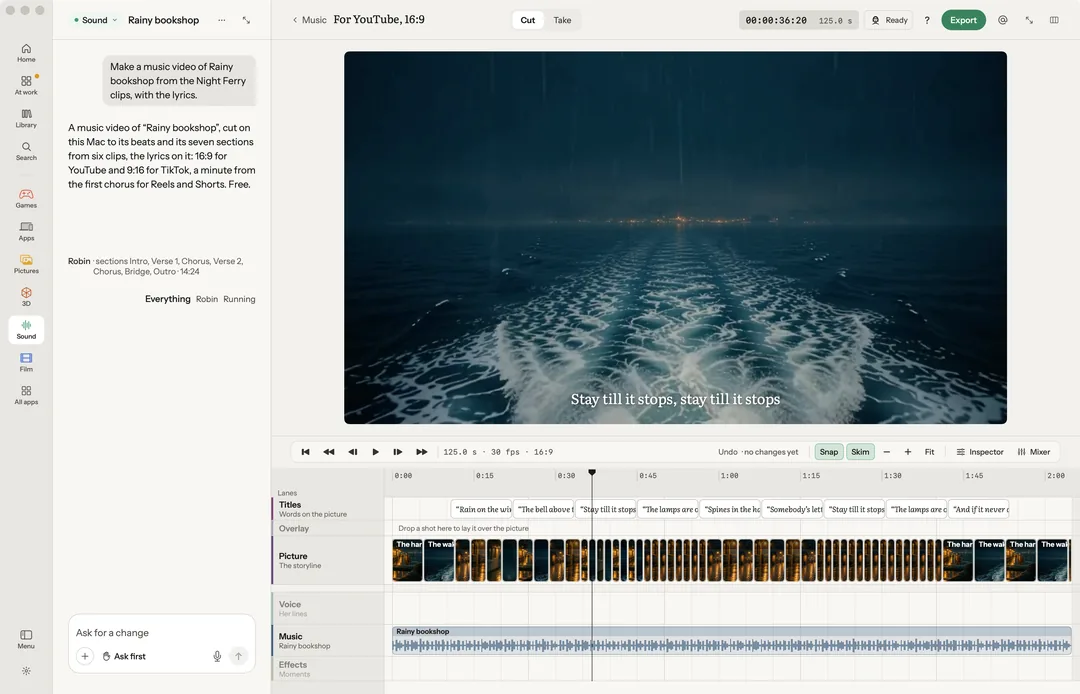
Make a music video cuts the song with your clips or pictures to its beats and sections, in 9:16 and 16:9, lyrics optional, free on your Mac. It spends only when there is nothing to cut: one clip made from words, priced first. Share the music video saves a file for TikTok, Reels, Shorts and YouTube and opens each one’s upload page; you sign in there and press post.
On the rail:
- Keep only the selection trims to the stretch you marked. Free.
- Isolate voice cleans a recording. Needs your own voice key, priced by the minute; there is no route for it on your Mac.
- Split into stems: voice, drums, bass and the rest, each a take. Needs your own key, priced first; there is no route for it on your Mac.
- Chords: Read the chords, or a backing track in pop, rock, ballad, funk or bossa. Free.
On a lane’s head:
- Automation mode, while the volume lines show (A): Read plays the volume and pan lines as drawn; Touch writes while you hold the fader or the pan, then lets the line take over; Latch writes from your first touch until the song stops; Write writes from play to stop, over the line that was there. ⇧A steps the lane in focus through them.
- Instrument, on a lane of notes: Robin’s own, or any Audio Unit instrument on your Mac, with Open the instrument’s window. Free.
- Strip silence… takes the quiet stretches out of a lane, or the regions you picked (⇧X). Set the Threshold and the Shortest silence, and it says how many stretches will go before you press. One Undo puts them back. Free.
In More: Read back (the words, heard on your Mac first), Change the voice… (your voice key), Share the sound and Save a copy….
The playlist adds tracks from files, the sound bench's take, the library or another playlist, and Bounce the pads. Release says what is left before a release.
| Key | What it does |
|---|---|
| Space / ⇧Space | Play / play the selection |
| R | Record (arm, then record) |
| C K | Loop, metronome |
| ⌘B | Split |
| , . | Nudge a beat (with ⇧, a bar) |
| ⇧M M S | Mixer, mute, solo |
| A / ⇧A | Show the volume lines / the lane’s automation mode |
| ⇧X | Strip silence |
| ← → P X | Step through takes, keep, not this one |
| B / ⇧B | Compare A and B at one loudness / matched loudness on or off |
Voice
The cast's voices and the stories they speak.
- Cast: the voices, who each is, how they sound, and a sample to hear. Create voice: say who it is, and Robin picks a voice, keeps it in the project's cast and plays a sample.
- Stories: the scenes they speak, line by line on a timeline. Export mixes the timeline to one file in the project.
Each voice has Hear the sample, Say a line as…, Change the voice and Remove from the cast. With no voice key, lines are read for free by your Mac's own voices; a studio voice needs your voice key.
The Effect half makes sound effects and keeps their takes.
Pads
Sixteen pads, or sixty-four with scenes: Robin fills them, you play. Robin's synth fills pads on your Mac, with nothing to install and nothing sent.
- 4×4: sixteen pads in four parts. 8×8: sixty-four pads with scenes down the side.
- The grid has Session, Notes, Mixer and Clip modes, and Shift, Undo, Duplicate, Double, Quantise, Click, Record, Play and Capture.
- The six effects: Filter, Stutter, Echo, Wash, Tape stop and Pitch.
- Sets saves, starts or exports a set of pads. Open the demo to play one, then Keep as mine.
| Key | What it does |
|---|---|
| Space | Play or stop everything |
| 1–8, Q–I, A–K, Z–, | Play pad rows 1 to 4 |
| ⌥1–⌥8 | Launch a scene |
| 0 | Stop every clip |
| Return | Launch or stop the selected pad |
| ⌥S ⌥N ⌥M ⌥K | Session, Notes, Mixer, Clip |
| ⌥G | 16 pads or 64 |
| ⌥D / ⌥⇧D | Duplicate / double the loop |
| ⌥Q ⌥B | Quantise, click |
| ⌥R ⌥A | Record the jam, capture |
Sets
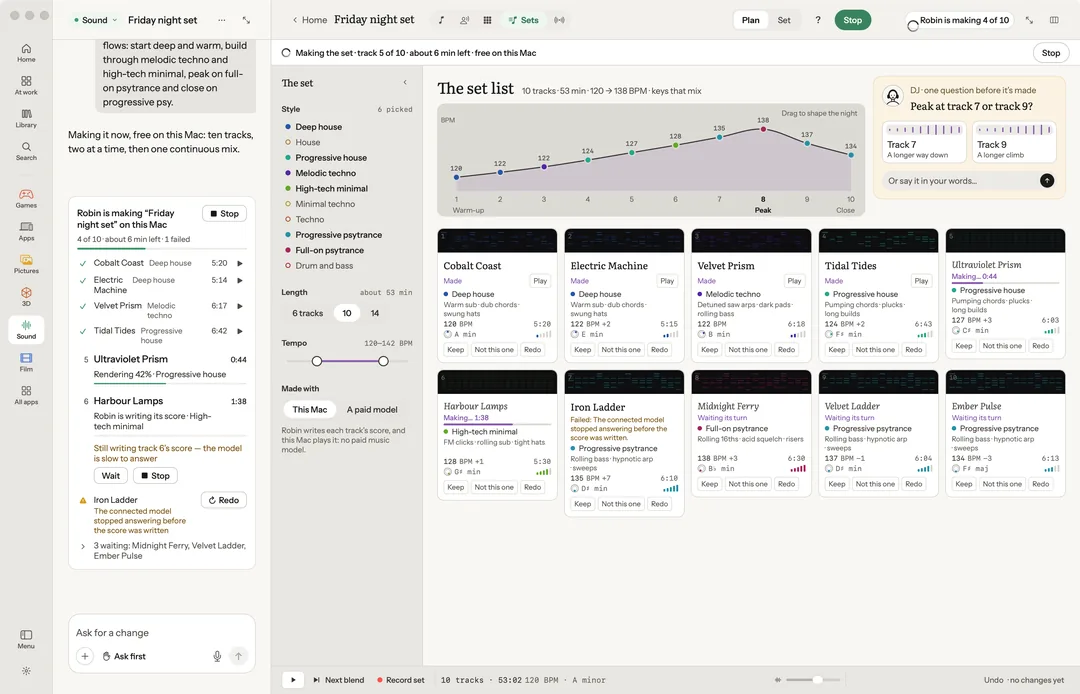
A set list, played as one mix. Press Plan a set: pick a style (from deep house to drum and bass), 6, 10 or 14 tracks, a tempo range, and drag the energy arc. Robin asks one question first, then plans the list and writes each track's score, and your Mac plays them as one continuous mix, free.
Each track can be kept, swapped (Not this one) or made again. The mix blends over 16 bars, swaps the bass halfway and glides the tempo. Record set keeps the set as you heard it. Once made, Make the set releases it: to a listening site, a file, or Radio. A track can be shared, or released as a single.
A paid model on your own key is optional, and priced first: the sum of what is sent. On one, every track comes out at its full planned length. The model makes the longest piece it can, and your Mac builds the rest, looped in whole bars and levelled; the set’s line says how much was made on the Mac.
While a set is made, the chat shows it as one card: each track made, being made now, failed (and why, in plain words) or still to come, how far it has got and about how long is left. A step that has not moved for a minute gets a note. Stop, on the card, the window’s chip or ⌘., keeps what is made; Make the rest carries on, and a failed track has Retry this one.
| Key | What it does |
|---|---|
| Space | Play or pause |
| → / ← | Next blend / start of this track |
| R | Record |
| P X | Keep, not this one |
| 1 2 | Plan, Set |
Radio
The playlist as a radio that never ends. It plays your tracks mixed on the beat, then new tracks made on Robin's synth on your Mac, with two always ready ahead. It is free.
- Start the radio, Stop the radio (off air on the next bar).
- Steer the radio: Darker, Brighter, Faster, Slower, Deeper, More energy.
- Keep this track, Skip on the bar, Hold this one, Throw an effect on the radio, Record set, Only made tracks.
- Make a clip of this moment: a 30-second 9:16 clip with the pads lit on every hit.
- Go live streams to YouTube Live, Twitch or your own server, with your own stream key. It is the one part of Radio that reaches the network.
Drag sound files onto the playlist to add them.
The Live window
View › Live window opens a window with nothing in it but the show: a set playing, the radio, the pads lit as they are played, a Stage shot or the film, or whatever the bench in front is doing. It is borderless and sized to a stream, 1920×1080 or 1080×1920, with Robin’s own sound.
The AI channel
The AI channel fills the Live window with clips of your words, each made from the last one’s final frame while that one plays. On the Live desk, say what it shows, pick the clips’ length (5, 10 or 15 seconds) and where it stops ($2 to $50). It runs on your own fal key: Start the channel asks every time, with its price a clip and at most an hour, and it stops by itself at your cap. Stop the channel stops it, and the last clip holds on its final frame.
Streaming
OBS can capture the Live window as a window. Or Start streaming sends it straight out to your own stream address, through ffmpeg on your Mac. It asks every time, and Robin never starts a stream on its own. While it streams it says LIVE with the time, beside Stop streaming. Settings › Music › Going live holds the address and the stream key (kept in the Keychain), and says whether ffmpeg is on your Mac.