
Robin 1.1
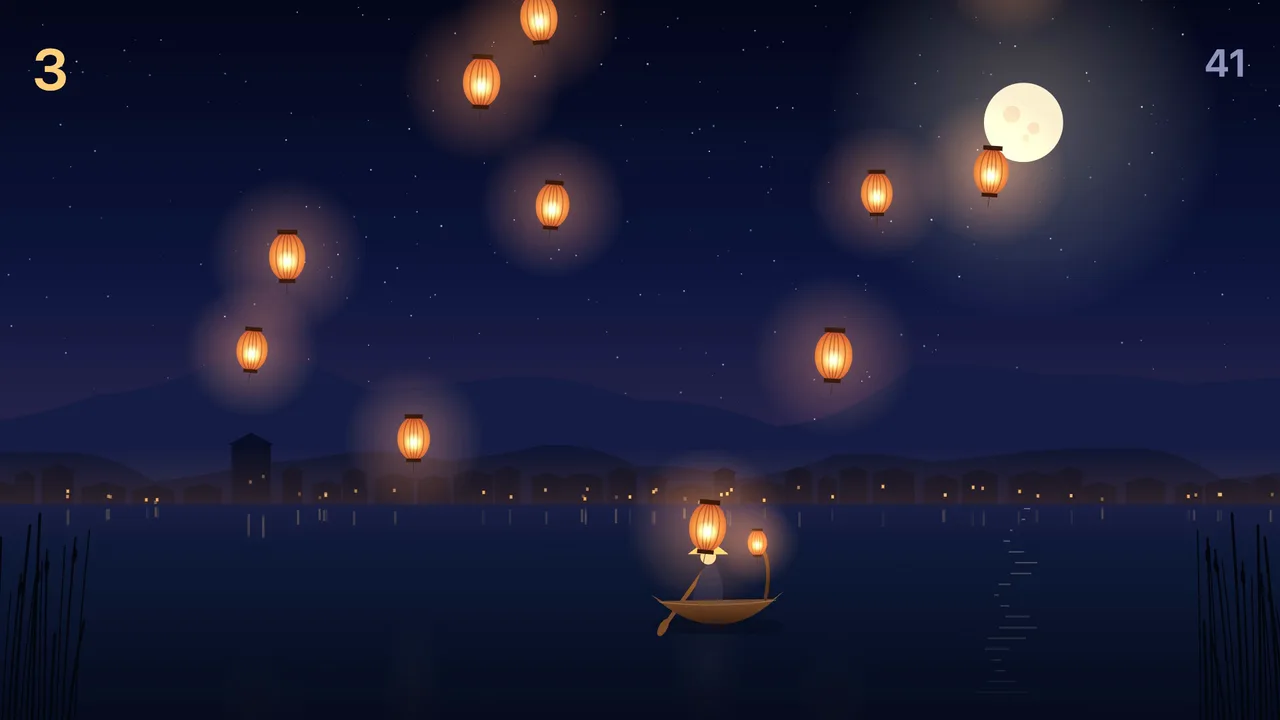
Robin 1.1 is out today, four days after 1.0. It adds an app, changes what a demo is, fixes how you move around the window, and gives Film, Sound, Games and Pages the tools people asked for first. If you have 1.0, Robin offers 1.1 on its own, or choose Robin › Check for Updates…
Cast, a host for your shorts
Cast is the new app. It gives your work a host: a made-up person with a look, a voice and a persona, who presents what you made in a 9:16 short.
No real person is in it. A description that names someone real, someone famous or "in the style of" a creator is refused, and so is a photo with a face in it. A picture put on a cast card from a file waits for your tick that it is of a made-up character or of someone who agreed. Every short is labelled as AI on every frame, at the end of its caption and inside the file, and nothing turns that off.
Robin writes the short in the chat, five beats in the host's voice, and flags any line a made-up host cannot honestly say, such as "I play it every night". The talking clip runs on your own fal key, its model, its seconds and its price said before you press Yes: VEED Fabric at 15¢ a second, Kling AI Avatar at 5.62¢ or Seedance at 47.3¢. A line with no recording is read free by your Mac's voice, and with no fal key the press is Add a key. Robin never posts it: Posts saves it for TikTok, Reels and Shorts and opens each upload page, and you tick each app's AI label and press post. How Cast works.
Demos you can check
A demo that shows a finished piece with no record of how it was made is a claim nobody can check. From 1.1, a demo opens on the real chat in Robin that made it: every ask, every step and every take as it ran, stamped with the day, the engine and the model, and sealed so a word changed afterwards stops it opening.
Five ship that way today, each made again in Robin from an empty project:
- Dumpling Row in Vector: a logo, its app icon and a row of food icons.
- Friday night set in Sound: ten tracks made on this Mac and mixed into one set.
- Berlin Night on the pads: sixteen loops in one set.
- Rainy bookshop, twice: as a set on the pads, and as a song.
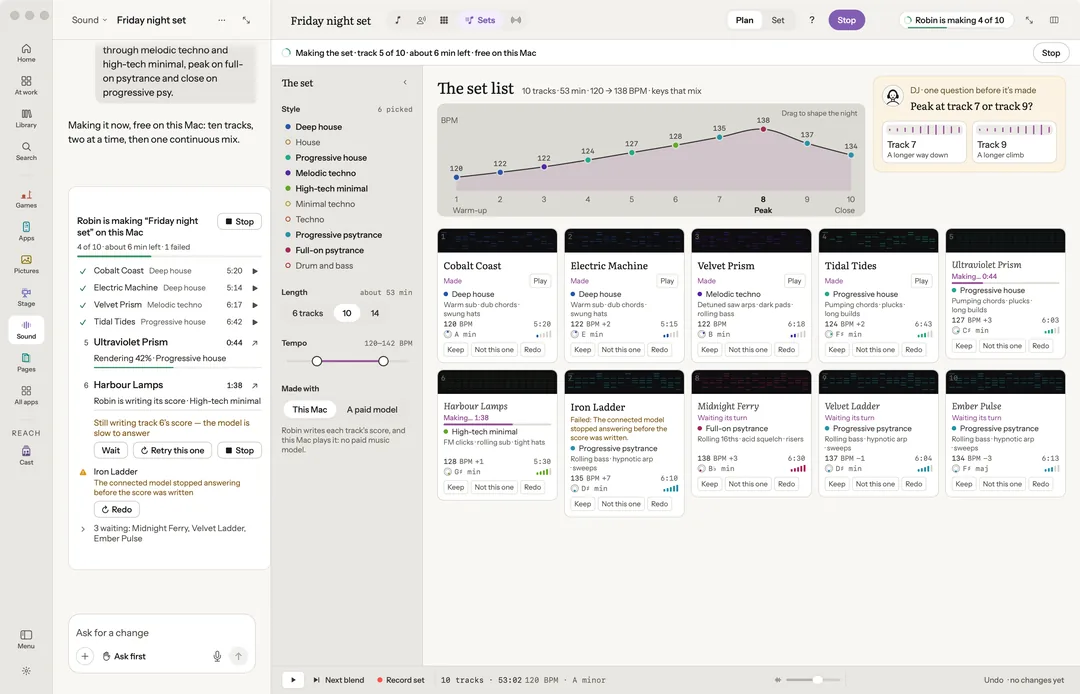
The demos 1.0 carried were made outside a chat, so they wait in Settings › Demos, marked "No chat yet", until each is made again in Robin and comes back with its chat. Opening a demo after another now opens that demo's own app and chat, and a demo you changed opens as you left it, with Start the demo again… to reset it.
Back goes where you were
Back returns to the last place you were, across apps too, and says where it goes. ⌘W closes only what is on top, never the window, and File › Close is named for what it closes. Every tab on a bench is a place Back returns to, and an app pressed in the sidebar opens on its home, with a Continue card to where you left it. A take that lands while you are somewhere else waits as New take ready instead of moving the window.
Film: erase or change a part of a shot
In More › Make a new take, paint, box or name a part of a frame, and Robin follows it through the stretch. Erase it on Bria Video Eraser, 14¢ a second, or change it to what you write on LTX 2.3, about 27¢ for five seconds at 720p. Both are priced before you press and land as a new take, with Undo and Before. Seedance 2.5 and Kling 3.0 Pro join the video models, and a sequence of shots is made on one yes to its total.
Sound: one studio for voices
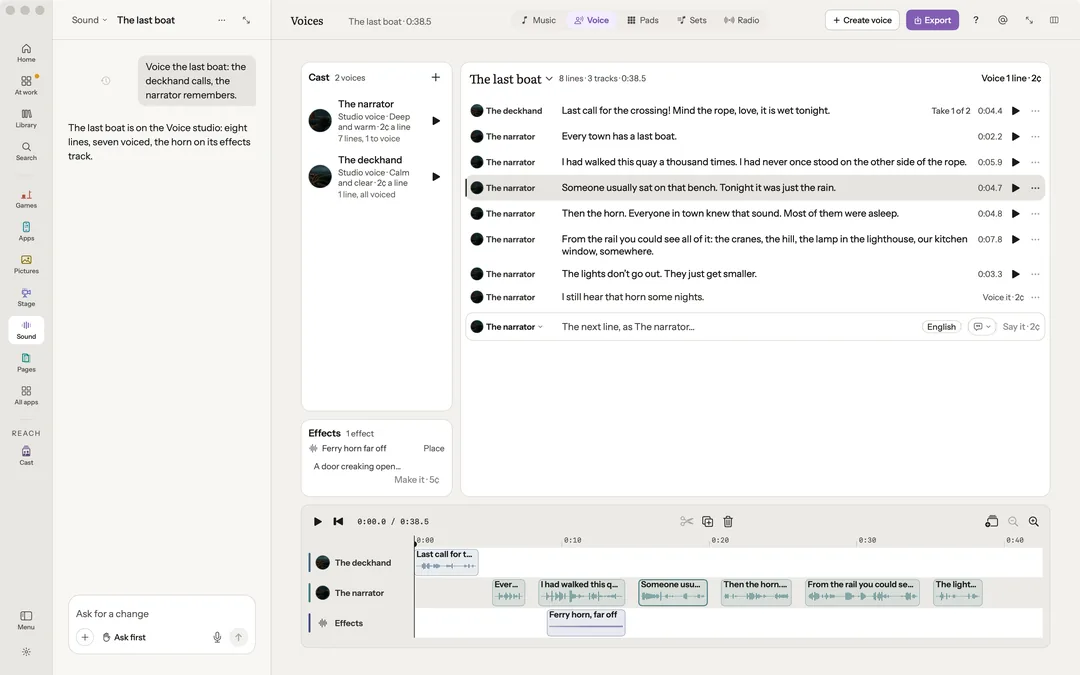
Voice is one studio now: each character in a voice of their own, the script a row a line with its price on every voice press, and the lines and the effects on one timeline. Narrate in Film and Dub in Posts offer a studio voice first, priced on your own key, with your Mac's voices free beside it. The pads latch an effect, play transitions at each seam, and export a take as one file or as stems.
Games and Pages
A Unity game plays on Live: only the game, a click to play and Esc to give the keys back, with Restart, Pause, Mute and Record a clip. A game that runs its own server, like Lanternfall, is started the way its project says and shown on Live.
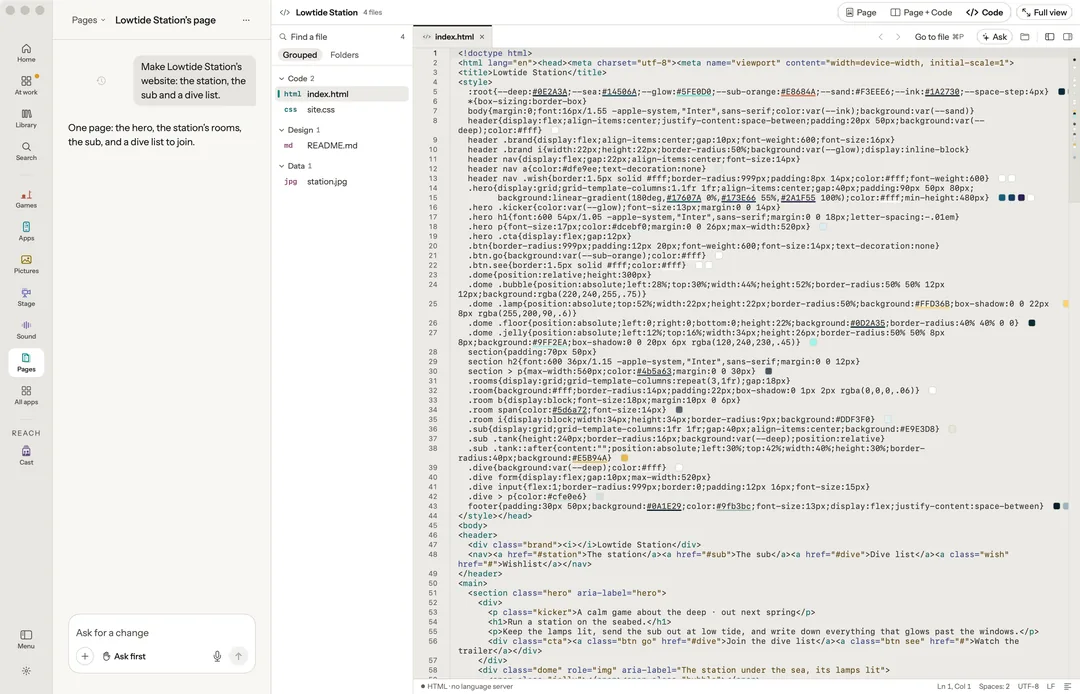
Pages shows the page, the page and its code side by side, or the code alone, each kept as you left it. A deck is also one web page, and Robin rehearses it aloud and timed.
Lighter and steadier
A bench is built only when you open it, so Robin uses less memory. Robin shuts down the iPhone Simulator it started once nothing has used it for five minutes, and when it quits. When a licence reaches its own limits, Robin now says which one, in place of a misleading "wait a minute".
Robin 1.1 requires macOS 15 or later. Download it, or update from 1.0 in the app. The docs say how each app works.
Everything new in 1.1
Robin
- Back goes where you were. Back returns to the last place, across apps too, and says where it goes; ⌘W closes only what is on top, never the window, and File › Close is named for what it closes.
- Every tab is a place. A bench's tabs are places Back returns to, and an app reopens where you left it.
- An app's home, with Continue. An app pressed in the sidebar opens on its home, with a Continue card to the last place you were in it.
- Demos open on the chat that made them. A demo shows only once it opens on the real chat in Robin that made it, every ask, step and take as it ran; one made outside a chat waits in Settings › Demos, marked No chat yet, until it is made again in Robin. Five ship with their chats: Dumpling Row in Vector, Friday night set in Sound, Berlin Night and Rainy bookshop on the pads, and Rainy bookshop as a song. Try it on Kettle Cove Post waits with the Pictures demo it opens.
- A demo is its own. A demo opened after another opens that demo's app and chat, and a demo you changed opens as you left it, with Start the demo again… to reset it.
- New take ready. A take that lands while you are on another page or in another chat waits over your work as New take ready, and Open takes you to it; nothing moves the window on its own.
- The crew is the real one. The chat head, the agents map and the call sheet show only who works on the run, and you can add, rename or remove a part.
- @ finds every piece. Typing @ lists every piece of work in the project, the current app's kinds first.
- A bar that fits. What does not fit on a bench's bar folds into More, and the apps keep one order in the sidebar.
- Coding agents in a chat. New OpenCode starts a chat on the OpenCode on your Mac, on your own providers, its words and steps in the chat as they come.
- A failed free make asks first. When the free Erase or Cut out cannot run on this Mac, it offers your fal key with its price, and nothing is sent until you say yes.
- Lighter and faster. A bench is built only when you open it, so Robin uses less memory, and a phone pane plays smoothly.
- A licence's limits, said plainly. When a licence has been activated or moved between Macs as often as it can be for now, Robin says which, in place of "wait a minute".
Cast
- A made-up host for your shorts. Cast a host in four steps, Describe, Pick a face, The sheet and The voice: no one real by name, no famous face, no face from a photo and no voice like anyone's.
- A picture on a cast card, ticked. A picture put on a cast card from a file waits for your tick that it is of a made-up character, or of someone who agreed to their likeness being used.
- A short in five beats. Robin writes a hook, a setup, a turn, a payoff and a call in the host's voice, and a line a made-up host cannot honestly say is flagged until it is rewritten.
- The talking clip, priced first. On your own fal key, its model, seconds and price said before you press Yes: VEED Fabric at 15¢ a second, Kling AI Avatar at 5.62¢, or Seedance at 47.3¢; the price is the clip alone, a line with no recording read free by your Mac's voice, and with no fal key the press is Add a key.
- Labelled as AI, always. On every frame, at the end of the caption and inside the cut and the file; a sponsored short adds #ad, and nothing turns the labels off.
- You post it. Posts saves the short for TikTok, Reels and Shorts and opens each upload page; you tick each app's AI label and press post.
Film
- Erase or change a part. In More › Make a new take, paint, box or name a part on a frame, and it is followed through the stretch: Erase it on Bria Video Eraser, 14¢ a second for under 5 seconds, or Change it to what you write on LTX 2.3, about 27¢ for 5 seconds at 720p, up to 10; priced before you press, and it lands as a new take with Undo and Before.
- Narrate in a studio voice. Narrate offers a studio voice first, priced by the line on your own key, with your Mac's voices free beside it.
- Two more video models. Seedance 2.5 and Kling 3.0 Pro on your fal key, and a sequence of shots made on one yes to its total.
- An empty bench that guides you. Three ideas, the beats as priced cards, and Make them for every take on one yes, its total on the press.
Sound
- Voice is one studio. Each character in a voice of their own, the script a row a line with its price on every voice press, and the lines and effects on one timeline.
- More from the pads. Latch an effect, transitions at each seam, a take shared as one file or exported as stems, every loop fitted to the tempo.
- Retry this one. A set's track stuck on this Mac for a minute starts again from its first step while the rest go on.
Pictures
- Versions you can add and remove. Add a version with the plus, a drop or ⌘V, remove one, and Undo puts it back.
Stage
- Stage on its own. A cut-out has its background lifted on this Mac, and asking for rain sets the weather and the place.
Games
- A Unity game on Live. Only the game, a click to play and Esc to give the keys back, with Restart, Pause, Mute and Record a clip.
- A game with its own server. A game that runs its own server is run the way its project says and shown on Live.
- How it was made, as a graph. Run › As a graph shows the steps that made the game.
Apps
- Robin's bridge, only in Robin's runs. The bridge that lets Robin read an iPhone app goes only into Robin's own runs, never into your code or a build you ship; a chip says when it is in, with Remove and Add it back.
- The Simulator let go. Robin shuts down the iPhone Simulator it started once nothing has used it for five minutes, and when it quits.
Pages
- The page and its code. Page, Page and Code, or Code, each kept as you left it.
- A deck as one page, rehearsed. A deck is also one web page, and Robin rehearses it aloud and timed, in a studio voice priced first or your Mac's voice for free.
Posts
- Posts from anything you made. A model's turntable, a pads loop, a deck, a song or a chat can start a post, and you choose, remove and move its pictures.
- Every size. Carousels and single pictures go out at each place's size, and a vertical's cover is chosen and set on the file.
- Dub in a studio voice. Dub offers a studio voice first, priced per language on your own key, with your Mac's voices the free fallback.